
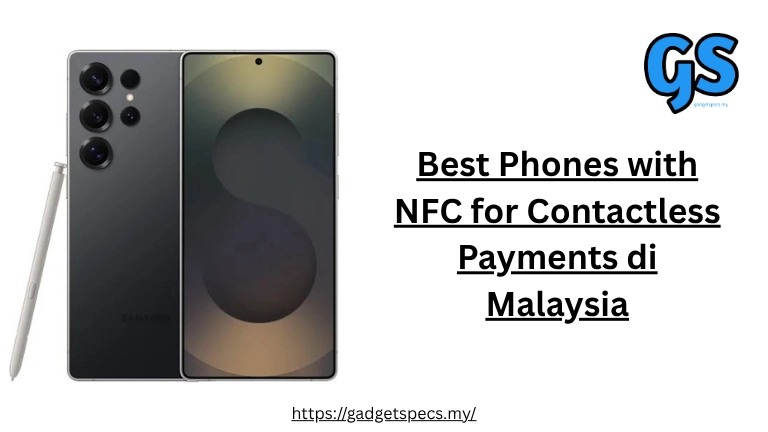
Best Phones with NFC for Contactless Payments in Malaysia 2026
NFC (Near Field Communication) has transformed how Malaysians pay — from tapping your phone at 7-Eleven to paying for groceries at Aeon, MRT rides with Touch ‘n Go, and splitting bills at mamak. With Malaysia’s growing cashless ecosystem supporting Apple Pay, Samsung Pay, Google Pay, and local e-wallets like Touch ‘n Go and Boost, having an NFC-enabled smartphone is now essential for modern Malaysian life.
This comprehensive guide covers the best NFC phones for contactless payments in Malaysia — from flagship devices like the Samsung Galaxy S26 Ultra and iPhone 17 Pro Max to budget-friendly options. Plus, complete information on which payment services work in Malaysia and where you can tap to pay.
📱 What is NFC? Understanding Contactless Payment Technology
NFC (Near Field Communication) is a wireless technology that allows your smartphone to communicate with payment terminals, access cards, and other NFC devices when held within a few centimeters. For Malaysians, NFC enables “tap to pay” functionality — simply hold your phone near a payment terminal to complete transactions instantly, no cash or physical cards needed.
- Touch ‘n Go eWallet NFC: Pay at millions of merchants and public transport
- Cashless convenience: No need to carry cash or multiple cards
- Faster checkout: Tap and go in seconds vs counting cash
- Secure transactions: Tokenized payments, no card details shared
- Growing acceptance: Most Malaysian retailers now accept NFC payments
- Hygiene: No touching shared payment terminals or cash
- NFC-enabled phone: Most smartphones RM 500+ have NFC
- Payment app: Apple Pay, Samsung Pay, Google Pay, or e-wallet
- Linked card/account: Credit/debit card or e-wallet balance
- NFC terminal: Merchant must have contactless payment terminal
🏆 Best Phones with NFC for Contactless Payments 2026
Here are our top picks for NFC-enabled smartphones in Malaysia, selected based on NFC reliability, payment app support, security features, and overall value. For more smartphone recommendations, see our best Android phones guide and best iPhones in Malaysia.
Display: 6.9″ QHD+ 144Hz
Security: Samsung Knox Vault
Biometrics: Ultrasonic fingerprint + Face
Display: 6.7″ ProMotion 120Hz
Security: Secure Enclave
Biometrics: Face ID
Display: 6.7″ LTPO 120Hz
Security: Titan M3 chip
Biometrics: Under-display fingerprint + Face
Display: 6.2″ FHD+ 120Hz
Security: Samsung Knox Vault
Biometrics: Ultrasonic fingerprint
Display: 6.7″ LTPO 120Hz
Security: Qualcomm Secure Processing
Charging: 100W wired
Display: 6.6″ AMOLED 120Hz
Security: Samsung Knox
Updates: 6 years
💳 NFC Payment Services Available in Malaysia
Malaysia has a thriving cashless payment ecosystem with multiple NFC payment options. Here’s a complete breakdown of all payment services that support tap-to-pay and which phones work with each service.
Visa, Mastercard, AMEX
Most Malaysian banks
NFC + MST technology
Works on older terminals
Visa, Mastercard
Limited bank support MY
E-wallet + NFC tap
MRT, LRT, buses, tolls
NFC via linked cards
Wide merchant network
NFC via linked cards
Grab rides + merchants
📊 Payment Service Compatibility Table
| Payment Service | iPhone | Samsung | Pixel | Other Android | NFC Tap to Pay | Best For |
|---|---|---|---|---|---|---|
| Apple Pay | ✅ Yes | ❌ No | ❌ No | ❌ No | ✅ Yes | iPhone users |
| Samsung Pay | ❌ No | ✅ Yes | ❌ No | ❌ No | ✅ Yes + MST | Samsung users |
| Google Pay | ❌ No | ✅ Yes | ✅ Yes | ✅ Yes | ✅ Yes | All Android users |
| Touch ‘n Go NFC | ⚠️ Limited | ✅ Yes | ✅ Yes | ✅ Yes | ✅ Yes | Public transport |
| Boost | ✅ QR | ✅ QR | ✅ QR | ✅ QR | ⚠️ Card only | Wide acceptance |
| GrabPay | ✅ QR | ✅ QR | ✅ QR | ✅ QR | ⚠️ Card only | Grab ecosystem |
| ShopeePay | ✅ QR | ✅ QR | ✅ QR | ✅ QR | ⚠️ Card only | Shopee users |
| MAE (Maybank) | ✅ QR | ✅ NFC | ✅ NFC | ✅ NFC | ✅ Yes | Maybank customers |
- Touch ‘n Go NFC: Best for public transport (MRT, LRT, buses) and widespread merchant acceptance
- Samsung Pay: Unique MST technology works even on older card terminals without NFC
- Apple Pay: Seamless integration with iPhone, supported by most Malaysian banks
- Google Pay: Works on any Android phone but limited Malaysian bank support
- E-wallets: Boost, GrabPay, ShopeePay primarily use QR codes, not direct NFC tap
📱 Best Samsung Phones with NFC in Malaysia
Samsung phones offer the best NFC payment experience in Malaysia thanks to Samsung Pay’s unique MST (Magnetic Secure Transmission) technology, which works on both NFC terminals AND older magnetic stripe card readers. This means Samsung Pay works at more locations than any other mobile payment service. For more Samsung options, see our best Samsung phones guide.
| Samsung Phone | Price (RM) | NFC | MST | Samsung Pay | Knox Security | Best For |
|---|---|---|---|---|---|---|
| Galaxy S26 Ultra | 6,299 | ✅ | ✅ | ✅ | Knox Vault | 🏆 Best Overall |
| Galaxy S26+ | 5,099 | ✅ | ✅ | ✅ | Knox Vault | Best Mid-Size |
| Galaxy S26 | 4,099 | ✅ | ✅ | ✅ | Knox Vault | Best Compact |
| Galaxy A56 5G | 1,899 | ✅ | ✅ | ✅ | Knox | 💰 Best Budget |
| Galaxy A36 5G | 1,499 | ✅ | ✅ | ✅ | Knox | Entry Budget |
| Galaxy Z Fold 6 | 7,999 | ✅ | ✅ | ✅ | Knox Vault | Foldable Premium |
| Galaxy Z Flip 6 | 4,999 | ✅ | ✅ | ✅ | Knox Vault | Compact Foldable |
- MST Technology: Works on 90%+ of card terminals, even without NFC
- Samsung Pay Malaysia: Supports most local banks (Maybank, CIMB, Public Bank, etc.)
- Knox Security: Military-grade security vault for payment data
- Quick Access: Swipe up from lock screen to pay instantly
- Reward Points: Earn Samsung Rewards for every transaction
- Works offline: Complete transactions even without internet
🍎 Best iPhones with NFC for Apple Pay in Malaysia
All modern iPhones support NFC for Apple Pay, offering a seamless and secure contactless payment experience. Apple Pay is now widely accepted in Malaysia with support from major banks including Maybank, CIMB, Public Bank, Hong Leong, HSBC, Standard Chartered, and more. For complete iPhone recommendations, see our best iPhones in Malaysia guide.
| iPhone Model | Price (RM) | NFC | Apple Pay | Face ID | Express Transit | Best For |
|---|---|---|---|---|---|---|
| iPhone 17 Pro Max | 6,499 | ✅ | ✅ | ✅ | ✅ | 🏆 Best iPhone |
| iPhone 17 Pro | 5,499 | ✅ | ✅ | ✅ | ✅ | Pro Value |
| iPhone 17 | 4,599 | ✅ | ✅ | ✅ | ✅ | Standard |
| iPhone 17e | 2,999 | ✅ | ✅ | ✅ | ✅ | 💰 Budget iPhone |
| iPhone 16 Pro | 4,999 | ✅ | ✅ | ✅ | ✅ | Previous Gen Pro |
| iPhone 15 | 3,799 | ✅ | ✅ | ✅ | ✅ | Great Value |
| iPhone 14 | 3,199 | ✅ | ✅ | ✅ | ✅ | Entry Apple Pay |
- Double-click to pay: Double-click side button, then Face ID to authenticate
- Express Transit: Tap without unlocking for transit payments (where supported)
- In-app payments: Pay in apps and Safari with Apple Pay
- Apple Wallet: Store multiple cards, boarding passes, tickets
- Privacy: Card numbers never stored on device or shared with merchants
- No Touch ‘n Go NFC: iPhone doesn’t support TNG NFC tap for MRT/LRT (QR code only)
- No MST: Only works at NFC-enabled terminals (unlike Samsung Pay)
- Bank support varies: Not all Malaysian banks support Apple Pay yet
💰 Best Budget Phones with NFC in Malaysia
You don’t need a flagship phone to enjoy contactless payments. Many budget and mid-range smartphones now include NFC, giving Malaysians affordable options for tap-to-pay convenience. For more budget options, see our best budget phones guide.
Display: 6.6″ AMOLED 120Hz
Security: Samsung Knox
Updates: 6 years
Display: 6.3″ OLED 120Hz
Security: Titan M3
Updates: 7 years
Display: 6.6″ AMOLED 90Hz
Security: Samsung Knox
Updates: 5 years
Display: 6.67″ AMOLED 144Hz
Chip: Dimensity 8300
Camera: 50MP Leica
Display: 6.7″ AMOLED 120Hz
Charging: 120W
Chip: SD 8s Gen 4
Display: 6.7″ AMOLED 120Hz
Camera: 50MP Sony
Charging: 80W
🏪 Where to Tap & Pay with NFC in Malaysia
NFC contactless payments are now accepted at millions of locations across Malaysia. Here’s where you can tap your phone to pay instead of using cash or cards.
🛒 Popular Retail Chains
🚇 Public Transport (Touch ‘n Go NFC)
- Retail: Most chain stores, supermarkets, and convenience stores
- F&B: Major restaurant chains, cafes, and food courts
- Petrol stations: Petronas, Shell, Caltex, BHP
- Public transport: MRT, LRT, RapidKL buses (Android NFC only)
- Malls: All major shopping malls in Malaysia
- Online: In-app purchases with Apple Pay, Google Pay, Samsung Pay
🔧 How to Set Up NFC Payment on Your Phone
Setting up NFC payment is quick and easy. Here’s step-by-step instructions for the major payment services in Malaysia.
📱 Samsung Pay Setup (Samsung Phones)
- Download: Get Samsung Pay from Galaxy Store (pre-installed on most models)
- Sign in: Log in with your Samsung account
- Add card: Tap “Add card” and scan your credit/debit card
- Verify: Complete bank verification (SMS OTP or bank app)
- Set fingerprint: Register fingerprint for payment authentication
- Ready: Swipe up from bottom of screen to pay anywhere!
🍎 Apple Pay Setup (iPhone)
- Open Wallet: Open the Wallet app on your iPhone
- Add card: Tap “+” and select “Debit or Credit Card”
- Scan card: Use camera to scan card or enter details manually
- Verify: Complete bank verification (SMS, email, or bank app)
- Ready: Double-click side button, Face ID, then tap to pay!
🔵 Google Pay Setup (Android)
- Download: Get Google Pay from Play Store
- Sign in: Log in with your Google account
- Add card: Tap “Add payment method” and enter card details
- Verify: Complete bank verification
- Set default: Choose card as default for contactless payments
- Ready: Unlock phone and tap to pay!
💙 Touch ‘n Go NFC Setup (Android)
- Download: Get Touch ‘n Go eWallet from Play Store
- Register: Create account and verify identity (eKYC)
- Enable NFC: Go to Settings → “PayDirect” → Enable NFC
- Top up: Add funds to your eWallet balance
- Ready: Tap phone at NFC terminals and transport gates!
⚠️ Note: Touch ‘n Go NFC only works on Android phones with NFC. iPhone users can use TNG eWallet but only via QR code scan, not NFC tap.
🔒 NFC Payment Security – Is It Safe?
NFC payments are actually more secure than physical card payments. Here’s how your money is protected when you tap to pay.
- No card skimming: Physical card can’t be cloned because it stays in your wallet
- No shoulder surfing: Biometrics can’t be observed like PIN codes
- Unique transaction codes: Each payment uses different token
- Remote disable: Lost phone? Disable payments instantly via Find My iPhone/Samsung
- Transaction alerts: Instant notifications for every payment
- Spending limits: Set maximum transaction amounts in payment apps
- Keep phone locked: Always use PIN, fingerprint, or Face ID
- Enable Find My Phone: Remote lock/wipe if lost or stolen
- Review transactions: Check payment history regularly
- Update software: Install security patches promptly
- Use official apps: Only download payment apps from official stores
- Don’t root/jailbreak: This can compromise payment security
🛡️ Security Features by Phone Brand
| Security Feature | Samsung | iPhone | Google Pixel | Other Android |
|---|---|---|---|---|
| Secure Chip | Knox Vault | Secure Enclave | Titan M3 | Varies |
| Biometric Payment | Fingerprint + Face | Face ID | Fingerprint + Face | Fingerprint |
| Remote Wipe | Find My Mobile | Find My iPhone | Find My Device | Find My Device |
| Security Updates | 7 years | 6+ years | 7 years | 2-4 years |
| Offline Payment | ✅ Yes | ✅ Yes | Limited | Varies |
📊 Complete NFC Phone Comparison Table
Here’s a comprehensive comparison of all major NFC phones available in Malaysia, including payment service compatibility and security features.
| Phone | Price (RM) | NFC | Samsung Pay | Apple Pay | Google Pay | TNG NFC | Security | Best For |
|---|---|---|---|---|---|---|---|---|
| Galaxy S26 Ultra | 6,299 | ✅ | ✅ | ❌ | ✅ | ✅ | Knox Vault | 🏆 Best Overall |
| iPhone 17 Pro Max | 6,499 | ✅ | ❌ | ✅ | ❌ | QR only | Secure Enclave | Best iOS |
| Pixel 10 Pro XL | 5,199 | ✅ | ❌ | ❌ | ✅ | ✅ | Titan M3 | Best Google Pay |
| Galaxy S26 | 4,099 | ✅ | ✅ | ❌ | ✅ | ✅ | Knox Vault | Best Value Samsung |
| iPhone 17 | 4,599 | ✅ | ❌ | ✅ | ❌ | QR only | Secure Enclave | Compact iOS |
| OnePlus 15 | 3,799 | ✅ | ❌ | ❌ | ✅ | ✅ | Qualcomm SPU | Fast Charging |
| Pixel 9a | 2,299 | ✅ | ❌ | ❌ | ✅ | ✅ | Titan M2 | Budget Pixel |
| Galaxy A56 5G | 1,899 | ✅ | ✅ | ❌ | ✅ | ✅ | Knox | 💰 Best Budget |
| OPPO Reno 15 | 1,799 | ✅ | ❌ | ❌ | ✅ | ✅ | Standard | Mid-Range Value |
| Xiaomi 15 Pro | 4,299 | ✅ | ❌ | ❌ | ✅ | ✅ | Standard | Xiaomi Flagship |
✅ Pros & Cons of NFC Payments
- Speed: Transactions complete in seconds — faster than cash or chip cards
- Convenience: No need to carry wallet, cash, or multiple cards
- Security: Tokenization and biometrics make it safer than physical cards
- Hygiene: No touching shared terminals or handling dirty cash
- Transaction tracking: All payments logged in app for easy budgeting
- Rewards: Earn cashback and points on Samsung Pay, Apple Pay transactions
- Works offline: Samsung Pay and Apple Pay work without internet
- Multiple cards: Store all your cards in one phone
- Public transport: Touch ‘n Go NFC for MRT, LRT, buses
- Lost card protection: Disable instantly if phone is lost
- Phone battery: Dead phone = no payments (though most work with low battery)
- Not universal: Some small merchants don’t accept NFC yet
- Phone dependency: Lose phone, lose payment ability temporarily
- Learning curve: Some users unfamiliar with setup process
- Bank support varies: Not all Malaysian banks support all payment services
- iPhone limitations: No Touch ‘n Go NFC for public transport
- Budget phones may lack NFC: Very cheap phones often omit NFC
- Internet needed for setup: Initial card registration requires connection
❓ Frequently Asked Questions – NFC Payments Malaysia
What is NFC and how does tap-to-pay work?
NFC (Near Field Communication) is a wireless technology that allows your phone to communicate with payment terminals when held within 4cm. When you tap your phone to pay, it securely transmits a unique token representing your card — the actual card number is never shared. The payment is authenticated using fingerprint, Face ID, or PIN on your phone.
Which phones have NFC in Malaysia?
Most smartphones above RM 1,000 have NFC. This includes:
- All iPhones: iPhone 6 and newer
- Samsung Galaxy: S series, A series (A3x and above), Z series
- Google Pixel: All models
- OnePlus: Most models
- Xiaomi: Flagship and mid-range models
- OPPO/vivo: Mid-range and flagship models
Can I use Touch ‘n Go NFC on iPhone?
No, Touch ‘n Go NFC is not available on iPhone. Apple restricts third-party NFC payment access on iOS. iPhone users can use Touch ‘n Go eWallet, but only via QR code scanning — not NFC tap at MRT/LRT gates or merchant terminals. For full Touch ‘n Go NFC functionality, you need an Android phone.
Is Samsung Pay available in Malaysia?
Yes, Samsung Pay is fully available in Malaysia! It supports major Malaysian banks including Maybank, CIMB, Public Bank, Hong Leong Bank, RHB, AmBank, and more. Samsung Pay’s unique MST technology also works on older magnetic stripe terminals, giving it wider acceptance than Apple Pay or Google Pay. Available on Samsung Galaxy S, A, Z, and Note series phones.
Is Apple Pay available in Malaysia?
Yes, Apple Pay launched in Malaysia in 2022. Supported banks include Maybank, CIMB, Public Bank, Hong Leong, HSBC, Standard Chartered, Ambank, and more. Works at any merchant with contactless payment terminals displaying the Apple Pay or contactless payment symbol. See our best iPhones guide for compatible devices.
How do I pay with NFC at a store?
Simple 3-step process:
- Wake your phone: Unlock phone or activate payment app
- Authenticate: Use fingerprint, Face ID, or PIN
- Tap: Hold phone near payment terminal until you hear confirmation beep
Is NFC payment safe?
Yes, NFC payments are very secure — safer than physical card transactions.
- Your actual card number is never transmitted (tokenization)
- Every payment requires biometric authentication
- Each transaction uses a unique one-time code
- Payment data is stored in secure hardware chip
- You can remotely disable payments if phone is lost
What’s the payment limit for NFC transactions?
In Malaysia, NFC payment limits vary by bank and merchant:
- Under RM 250: Usually no PIN required (varies by bank)
- Above RM 250: May require PIN entry at terminal
- Daily limits: Set by your bank (typically RM 1,000-5,000)
- Per-transaction: Same as your card’s contactless limit
Can I use NFC payment without internet?
Yes, most NFC payments work offline! Samsung Pay, Apple Pay, and Google Pay can complete transactions without internet connection. However, you may need internet for:
- Initial card setup and verification
- Refreshing token after many offline transactions
- Viewing transaction history
Which budget phone has NFC in Malaysia?
Best budget NFC phones under RM 2,000:
- Samsung Galaxy A56 5G: RM 1,899 — Best overall with Samsung Pay
- Samsung Galaxy A36 5G: RM 1,499 — Cheapest Samsung with NFC
- Xiaomi 14T: RM 1,999 — Great specs with NFC
- OPPO Reno 15: RM 1,799 — Good camera with NFC
- Realme GT 7: RM 1,699 — Fastest charging budget NFC
🏆 Final Recommendations – Best NFC Phones for Malaysians
🥇 Best Overall NFC: Samsung Galaxy S26 Ultra (RM 6,299)
Samsung Pay with MST works everywhere, Knox Vault security, Touch ‘n Go NFC, 7 years updates.
🥈 Best iOS NFC: iPhone 17 Pro Max (RM 6,499)
Seamless Apple Pay, Secure Enclave, Face ID authentication. Note: No TNG NFC for MRT/LRT.
🥉 Best Google Pay: Google Pixel 10 Pro (RM 4,299)
Best Google Pay integration, Titan M3 security, Touch ‘n Go NFC, 7 years updates.
💰 Best Value NFC: Samsung Galaxy S26 (RM 4,099)
Full Samsung Pay + MST, compact flagship, same security as Ultra at lower price.
💵 Best Budget NFC: Samsung Galaxy A56 5G (RM 1,899)
Full Samsung Pay support, Touch ‘n Go NFC, 6 years updates — best value for cashless payments.
🚇 Best for Public Transport: Any Android with NFC
Touch ‘n Go NFC only works on Android. Samsung, Pixel, OnePlus, Xiaomi, OPPO all supported.
- Samsung = Best NFC Experience: Samsung Pay’s MST works on more terminals than any other
- Android for MRT/LRT: Touch ‘n Go NFC only works on Android phones
- iPhone users: Apple Pay works great, but use QR for TNG transport
- Budget buyers: Samsung Galaxy A series offers best NFC value
- Security matters: Choose phones with long update support for payment security
- Check NFC before buying: Not all budget phones have NFC capability




One Comment