Best Phones with Advanced Privacy & Security Features 2026 – Complete Guide Malaysia
In 2026, smartphone privacy and security have never been more critical. With rising cybercrime rates, data breaches, SIM-swapping attacks, and sophisticated spyware threats in Malaysia and globally, choosing a phone with robust security architecture is no longer optional — it’s essential. Whether you’re a business professional safeguarding corporate data, a privacy-conscious individual protecting personal information, or simply someone who wants peace of mind, this comprehensive guide covers the most secure smartphones available in Malaysia in 2026 — ranked by hardware security, OS update commitment, biometric quality, data encryption, and real-world privacy features.
We evaluate the iPhone 17 Pro Max, Samsung Galaxy S26 Ultra, Google Pixel 10 Pro, and more — covering everything from Samsung Knox to Apple Secure Enclave to Google’s Titan M3 security chip.
- 🔒 Why Phone Security Matters
- 🛡️ Key Security Features Explained
- 🏆 Top Secure Phones 2026
- 🍎 iPhone Security Deep-Dive
- 📱 Samsung Knox Deep-Dive
- 🔍 Google Pixel Security
- 💰 Budget Secure Phones
- 📊 Full Security Comparison
- 🔄 OS Update Rankings
- 👁️ Biometric Security Guide
- ⚠️ Common Threats & Protection
- 💡 Privacy Tips for Malaysians
- 🎯 Who Should Buy What?
- ❓ FAQ
- 🏆 Final Verdict
🔒 Why Phone Security Matters in Malaysia 2026
Malaysians lose millions of ringgit annually to smartphone-related fraud — from Macau scam calls and phishing links in WhatsApp to full device compromises through malicious apps. In 2025, MCMC reported over 50,000 cybercrime cases in Malaysia, with mobile devices being the primary attack vector in nearly 70% of cases. Your phone is no longer just a communication device — it holds your banking credentials, MyKad information, e-wallet access, corporate emails, and private conversations.
- SIM Swapping: Criminals convince telcos to transfer your number — bypassing 2FA
- Phishing Apps: Fake banking and e-commerce apps stealing credentials
- Stalkerware / Spyware: Hidden apps monitoring location, messages, and calls
- Public Wi-Fi Attacks: Man-in-the-middle attacks on unsecured networks
- Smishing (SMS Phishing): Fake Pos Malaysia, LHDN, and banking links via SMS
- Malicious APKs: Side-loaded apps bypassing Play Store/App Store security
- Physical Theft: Stolen phones with weak PINs exposing all personal data
- Hardware security chip: Dedicated processor for cryptographic operations (Apple Secure Enclave, Google Titan M3, Samsung Knox Vault)
- Strong biometrics: Face unlock or fingerprint that cannot be spoofed
- OS update commitment: Regular security patches — older, unpatched phones are vulnerable
- Data encryption: All stored data encrypted at rest and in transit
- App sandboxing: Apps isolated from each other — one compromised app can’t access another
- Secure boot: Verifies OS integrity on every startup — detects tampering
- Privacy controls: Granular permission management for camera, mic, location
🛡️ Key Security Features Explained
Before diving into phone recommendations, understanding what each security feature does helps you choose the right level of protection for your needs.
- Apple Secure Enclave (T2/A-series): Physically isolated co-processor — gold standard of mobile security
- Google Titan M3: Dedicated security chip on Pixel phones — certified to FIPS 140-3 Level 3
- Samsung Knox Vault: Isolated security zone within the SoC with physical tamper detection
- Qualcomm SPU (Secure Processing Unit): Built into Snapdragon chips — good but not as isolated
- No dedicated chip: Budget phones relying on software-only security — least secure
🏆 Best Phones with Advanced Privacy & Security – Malaysia 2026
These are our top picks for the most secure smartphones available in Malaysia, selected based on hardware security architecture, OS update commitment, biometric quality, privacy controls, and real-world security track record.
Biometrics: Face ID 3D (infrared + dot projector)
OS Updates: iOS — 6+ years guaranteed
Encryption: AES-256 hardware + Secure Boot
Privacy: App Tracking Transparency, Private Relay
Cert: FIPS 140-3 compliant
Biometrics: Under-display fingerprint + Face Unlock
OS Updates: 7 years Android + Security
Encryption: AES-256 + Secure Boot
Privacy: Private Compute Core, VPN by Google
Cert: FIPS 140-3 Level 3
Biometrics: Ultrasonic Under-Display Fingerprint
OS Updates: 7 years Android + Security
Encryption: AES-256 + Samsung Knox
Privacy: Secure Folder, Private Share, Knox
Cert: Common Criteria, FIPS 140-3
Biometrics: Under-Display Fingerprint + Face
OS Updates: 7 years Android + Security
Encryption: AES-256 + Knox
Privacy: Secure Folder, Private Share
Cert: Common Criteria certified
Biometrics: Under-display fingerprint
OS Updates: 7 years Android + Security
Encryption: AES-256 hardware
Privacy: Private Compute Core
Cert: FIPS 140-3 compliant
Biometrics: Touch ID (side-mounted)
OS Updates: 6+ years iOS
Encryption: AES-256 hardware
Privacy: App Tracking Transparency
Cert: FIPS 140-3 compliant
🍎 Apple iPhone Security Deep-Dive
Apple consistently leads the industry in smartphone security. The combination of tightly controlled hardware and software, the App Store’s strict vetting process, and Apple’s vertically integrated security architecture makes iPhones the most consistently secure consumer smartphones available.
🔒 Apple Security Architecture
- Physically separate processor: The Secure Enclave runs on its own chip, isolated from the main A-series processor — even Apple’s engineers cannot access it
- Biometric data never leaves: Face ID and Touch ID data is stored exclusively in the Secure Enclave — never on Apple servers
- Unique device key: Each iPhone has a unique cryptographic key embedded at the factory — not stored anywhere else
- Tamper detection: Any physical tampering with the chip destroys all stored cryptographic keys
- Encrypted communications: The Secure Enclave communicates with the main processor using encrypted messages only — even if the main chip is compromised, your keys are safe
🛡️ iPhone Exclusive Privacy Features
| Feature | What It Does | Why It Matters in Malaysia |
|---|---|---|
| Lockdown Mode | Extreme protection — disables most features to prevent targeted attacks | For activists, journalists, or high-profile targets |
| iCloud Private Relay | Routes web traffic through two servers — even Apple can’t see your IP | Hides your location from Malaysian ISPs and websites |
| Hide My Email | Generate random email addresses for sign-ups | Prevents email harvesting from Malaysian spam databases |
| App Tracking Transparency | Apps must ask permission before tracking you across other apps | Dramatically reduces ad tracking — all ad networks affected |
| Safety Check | Quickly revoke all permissions shared with others | Critical tool for domestic abuse victims |
| Stolen Device Protection | Biometric required for sensitive actions away from trusted locations | Protects against theft at Malaysian shopping malls |
| Private Browsing (Safari) | Blocks trackers and removes cookies between sessions | Anonymous browsing without VPN needed |
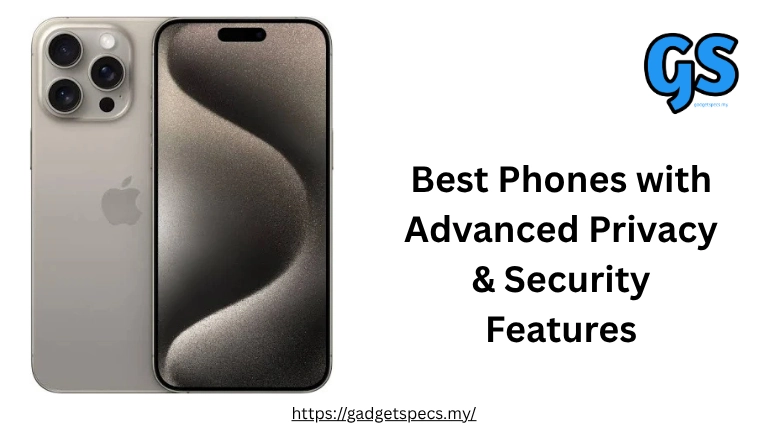
- iPhone 17 Pro Max (RM 6,499): Best security — Face ID, A19 Pro Secure Enclave, Lockdown Mode
- iPhone 16 Pro Max (prev gen): Still excellent — same architecture
- iPhone 17e (RM 2,999): Budget iOS security — Touch ID, A18 Secure Enclave
- iPhone 15 (RM 3,799): Previous gen — still receives iOS updates, fully secure
- iPhone 14 (RM 3,199): Older but still supported — secure for most users
📱 Samsung Knox Security Deep-Dive
Samsung Knox is the most comprehensive enterprise-grade security platform on any Android smartphone — trusted by the US Department of Defense, the UK government, and financial institutions worldwide. The S26 Ultra and S26 bring Knox to consumers with features rarely seen outside of specialised security devices. For complete Samsung phone recommendations, see our best Samsung phones in Malaysia guide.
🏰 Samsung Knox Architecture
- Isolated security zone: Knox Vault is physically separated from the main Snapdragon processor with hardware barriers
- Real-Time Kernel Protection (RKP): Monitors the OS kernel for tampering in real-time — detects malware that modifies core system code
- TrustZone: Hardware-enforced separation between secure and normal processing environments
- Knox Warranty Bit: Non-resettable hardware flag — if your phone’s bootloader is ever unlocked, Knox flags it permanently — protecting enterprise data
- Physical tamper detection: Multiple sensors detect physical intrusion attempts — triggers self-destruct of cryptographic keys
🛡️ Samsung Knox Exclusive Security Features
| Knox Feature | What It Does | Best For |
|---|---|---|
| Secure Folder | Encrypted sandbox — apps and data inside are completely isolated from rest of phone | Sensitive work apps, private photos, banking apps |
| Secure Wi-Fi | Built-in VPN automatically activates on unsecured networks | Malaysian café and mall Wi-Fi users |
| Private Share | Share files with expiry time and revoke access after sending | Sharing sensitive documents without risk |
| Samsung Pass | Biometric password manager — credentials stored in Knox Vault | Replacing weak passwords across all accounts |
| Knox Matrix | Monitors all your Samsung devices for threats simultaneously | Samsung ecosystem users with multiple devices |
| Auto Blocker | Blocks sideloading of apps from unknown sources automatically | Preventing malicious APK installation |
| Maintenance Mode | Hand phone to repair shop — personal data completely inaccessible | Phone repair without privacy risk |
For more Samsung security features, see our guide on best phones with Samsung Knox security features.
🔍 Google Pixel Security Deep-Dive
Google Pixel phones offer a unique security advantage — they receive security patches first (often before exploits are published), run clean stock Android with minimal attack surface, and pack the Titan M3 security chip — a dedicated hardware security module certified to FIPS 140-3 Level 3 — the same standard used in government applications.
- FIPS 140-3 Level 3 certified: The highest security certification for commercial devices — same standard as banking hardware
- Private Compute Core: Sensitive AI processing (Now Playing, Live Caption, Smart Reply) happens entirely on-device — never sent to Google servers
- Insider Attack Resistance: Even Google employees cannot push malicious firmware updates — each update requires cryptographic signatures from multiple independent sources
- Verification of Boot: Every component verified at boot — tampering detected before the OS loads
- Chip-level tamper detection: Physical intrusion attempts destroy stored cryptographic materials
| Pixel Security Feature | Pixel 10 Pro XL | Pixel 9a | Pixel 9 |
|---|---|---|---|
| Security Chip | Titan M3 | Titan M2 | Titan M2 |
| FIPS Certification | 140-3 Level 3 | 140-3 Compliant | 140-3 Compliant |
| OS Updates | 7 years | 7 years | 7 years |
| Security Patches | Monthly (first to receive) | Monthly | Monthly |
| Private Compute Core | ✅ Yes | ✅ Yes | ✅ Yes |
| VPN by Google One | ✅ Included free | ✅ Included free | ✅ Included free |
💰 Budget-Friendly Secure Phones in Malaysia
You don’t need to spend RM6,000+ to get meaningful security. Several mid-range phones offer solid security features at accessible prices. For broader budget phone recommendations, see our best budget phones in Malaysia guide.
| Phone | Price (RM) | Security Chip | OS Updates | Biometrics | Encryption | Security Rating |
|---|---|---|---|---|---|---|
| Google Pixel 9a | 2,299 | Titan M2 | 7 years | UD Fingerprint | AES-256 | 🏆 Best Budget |
| iPhone 17e | 2,999 | Secure Enclave | 6+ years | Touch ID | AES-256 | Excellent |
| Samsung Galaxy A56 5G | 1,899 | Knox + eSE | 6 years | UD Fingerprint | AES-256 | Very Good |
| Samsung Galaxy A36 5G | ~1,499 | Knox | 6 years | UD Fingerprint | AES-256 | Good |
| iPhone 15 | 3,799 | Secure Enclave | 4+ years left | Face ID | AES-256 | Excellent |
| Google Pixel 9 | ~3,299 | Titan M2 | 7 years | UD Fingerprint | AES-256 | Excellent |
- Dedicated hardware security chips — relying on software-only protection
- Regular security patches — often abandoned after 1–2 years
- Strong biometrics — face unlock often just 2D camera comparison (easily spoofed)
- Third-party verified encryption — may not implement AES-256 properly
📊 Complete Security Feature Comparison Table
| Feature | iPhone 17 Pro | Pixel 10 Pro | Samsung S26 Ultra | Samsung A56 | Pixel 9a |
|---|---|---|---|---|---|
| Security Chip | Secure Enclave | Titan M3 | Knox Vault | Knox + eSE | Titan M2 |
| FIPS Certification | 140-3 | 140-3 L3 | 140-3 | CC Certified | 140-3 |
| OS Update Years | 6+ years | 7 years | 7 years | 6 years | 7 years |
| Secure Boot | ✅ Yes | ✅ Yes | ✅ Yes | ✅ Yes | ✅ Yes |
| 3D Face Unlock | ✅ Face ID (3D IR) | 2D Face Only | 2D Face Only | 2D Face Only | 2D Face Only |
| Fingerprint Type | ❌ (Face ID only) | Optical UD | Ultrasonic UD | Optical UD | Optical UD |
| Data Encryption | AES-256 | AES-256 | AES-256 | AES-256 | AES-256 |
| VPN Built-in | iCloud Private Relay | Google One VPN ✅ | Secure Wi-Fi | Secure Wi-Fi | Google One VPN ✅ |
| Secure Container | ❌ Not available | ❌ Not available | ✅ Secure Folder | ✅ Secure Folder | ❌ Not available |
| App Store Vetting | Strictest (Apple) | Google Play Protect | Knox + Play Protect | Knox + Play Protect | Google Play Protect |
| Lockdown Mode | ✅ iOS Lockdown Mode | ❌ | ❌ | ❌ | ❌ |
| Maintenance Mode | ❌ | ❌ | ✅ Samsung only | ✅ Samsung only | ❌ |
🔄 OS Update Rankings – Why Updates = Security
Security patches fix newly discovered vulnerabilities. A phone that stops receiving security updates is a phone that accumulates unpatched vulnerabilities over time — making it increasingly easier to exploit. In Malaysia, many users keep phones for 3–5 years, making update longevity critically important. For more on this, see our guide on best phones with long-term software support.
📊 OS Update Commitments by Brand (2026)
- Apple: Typically 6–8 years (iPhone 6s released 2015, received iOS 15 in 2021)
- Google Pixel: 7 years OS + 7 years security patches (all Pixel 8 onwards)
- Samsung Galaxy S/A series: 7 years OS + 7 years security patches (Galaxy S24 onwards)
- OnePlus/OPPO Find: 4 major OS updates + 5 years security
- Xiaomi/POCO: 4 major OS updates + 5 years security (flagship only)
- Budget brands: Often 1–2 years — major security risk for long-term users
👁️ Biometric Security Guide – Which is Most Secure?
Not all biometrics are created equal. The security level varies significantly between different biometric technologies — and the difference matters when your phone stores banking credentials, corporate data, and personal information. For phones with the best fingerprint technology, see our guide on best phones with ultrasonic fingerprint scanners.
| Biometric Type | Security Level | Spoof Resistance | Speed | Found On | Verdict |
|---|---|---|---|---|---|
| Apple Face ID (3D Infrared) | Military Grade | 1 in 1,000,000 | ~0.4 seconds | iPhone 17 Pro Max | 🏆 Best Available |
| Ultrasonic UD Fingerprint | Very High | Cannot spoof with photo | ~0.3 seconds | Samsung S-series | Excellent |
| Optical UD Fingerprint | High | Resistant (not photo) | ~0.4 seconds | Google Pixel, OPPO, Xiaomi | Very Good |
| Side-Mounted Fingerprint | Good | Good resistance | ~0.3 seconds | Samsung A-series, OPPO A-series | Good |
| 2D Face Unlock (Camera) | Low | Photo can unlock in some cases | Fastest | Most Android phones | Convenience Only |
| PIN / Password | Moderate | Depends on complexity | Slowest | All phones | Fallback Only |
- Never use 2D face unlock as your primary lock: Most Android face unlock can be bypassed with a photo in certain conditions
- Use a 6-digit PIN minimum: 4-digit PINs have only 10,000 combinations — can be guessed in minutes
- Register only your own fingerprint: Never register a partner or family member’s fingerprint “for convenience” — they can access your phone without your knowledge
- Enable biometric for banking apps: Apps like Maybank2u, CIMB Clicks support biometric authentication — use it
- Know your emergency shutdown: iPhone SOS slide, Android Emergency call — these disable biometrics temporarily if under duress
⚠️ Common Mobile Security Threats & How Secure Phones Protect You
💡 Essential Privacy Tips for Malaysian Smartphone Users
| # | Privacy Action | Difficulty | Impact | Works On |
|---|---|---|---|---|
| 1 | Enable automatic security updates | Easy | Very High | All phones |
| 2 | Use a password manager (not browser save) | Easy-Medium | Very High | All phones |
| 3 | Enable 2-factor authentication on all accounts | Medium | Very High | All phones |
| 4 | Use authenticator app (not SMS OTP) | Medium | High | All phones |
| 5 | Audit app permissions quarterly | Easy | High | All phones |
| 6 | Use VPN on public Wi-Fi (malls, airports) | Easy | Very High | All phones |
| 7 | Enable Find My Device / Find My iPhone | Easy | High (theft recovery) | All phones |
| 8 | Use private DNS (Cloudflare 1.1.1.1) | Medium | Medium-High | Android & iPhone |
| 9 | Never click links in SMS/WhatsApp from unknown senders | Easy (habits) | Very High | All phones |
| 10 | Enable SIM card PIN lock at telco | Medium | Very High (SIM swap) | All phones |
- LHDN (tax): Never click LHDN links in SMS — always go directly to hasil.gov.my
- Banking apps: Download ONLY from official App Store / Play Store — never APK files
- Touch ‘n Go eWallet: Enable transaction notifications immediately — spot unauthorised charges instantly
- MySejahtera / MyKad data: Be cautious of apps requesting IC number — legitimate apps rarely need full IC
- Public phone charging: Avoid unknown USB charging ports — use your own charger or a power bank
🎯 Who Should Choose Which Secure Phone?
✅ Privacy & Security – Pros & Cons by Platform
🍎 Apple iPhone
- Gold standard Secure Enclave hardware security
- Best biometrics — 3D Face ID (1 in 1,000,000 false positive)
- App Store strict vetting — lowest malware risk
- Lockdown Mode for extreme threat scenarios
- iCloud Private Relay — built-in privacy VPN
- App Tracking Transparency — industry leading
- Stolen Device Protection feature
- 6+ years iOS updates — long security lifecycle
- No sideloading = no malicious APK risk (non-EU)
- Private Relay for Safari browsing
- No Secure Folder equivalent for work/personal separation
- iCloud data stored on Apple servers (though E2E encrypted)
- Government requests to Apple for data (rarely granted)
- High price — security premium comes at flagship cost
- No alternative app stores (both pro and con for security)
- No maintenance mode when giving to repair shop
📱 Samsung Galaxy
- Knox — government and enterprise trusted worldwide
- Secure Folder — dual-profile encrypted sandbox
- 7 years security patches (Galaxy S24+/A55+)
- Ultrasonic fingerprint — cannot spoof with photo
- Maintenance Mode — safe phone handover for repair
- Auto Blocker — prevents APK sideloading
- Samsung Pass — Knox Vault biometric password manager
- Secure Wi-Fi — automatic VPN on open networks
- Private Share — time-limited file sharing
- Android platform — historically more malware-targeted
- Pre-installed Samsung/Google apps increase attack surface
- Knox Vault less isolated than Apple Secure Enclave
- 2D face unlock (not secure — for convenience only)
- More complex permission system — easy to misconfigure
- Bloatware increases potential vulnerability surface
🔍 Google Pixel
- FIPS 140-3 Level 3 Titan M3 chip — bank-grade security
- 7-year update guarantee — best in Android
- First to receive security patches (before Samsung/others)
- Private Compute Core — AI fully on-device, no cloud
- Free Google One VPN included
- Clean AOSP base — minimal attack surface
- Google Play Protect — scans all apps continuously
- VPN by Google One — free with Pixel ownership
- Google’s business model relies on data — inherent tension
- No Secure Folder equivalent
- 2D face unlock (not secure) — fingerprint preferred
- Google services collect significant usage data
- No Lockdown Mode equivalent
- Smaller app ecosystem vs Samsung for enterprise MDM
❓ Frequently Asked Questions – Secure Phones Malaysia
Which is the most secure phone in Malaysia 2026?
The Apple iPhone 17 Pro Max is the most secure consumer smartphone in Malaysia for 2026. Its Apple Secure Enclave, 3D Face ID (1 in 1,000,000 false positive rate), App Store vetting, and Lockdown Mode represent the highest security standard available on any consumer device. For Android, the Google Pixel 10 Pro with Titan M3 (FIPS 140-3 Level 3) and 7-year update commitment is the most secure Android option. See our full secure phones guide.
Is iPhone or Samsung more secure?
iPhone is generally considered more secure for most users because:
- App Store strict vetting (vs Android’s more open ecosystem)
- Apple Secure Enclave hardware isolation (slightly more isolated than Samsung Knox Vault)
- No sideloading reduces malware risk dramatically
- Lockdown Mode — Samsung has no equivalent
- App Tracking Transparency — strongest anti-tracking framework available
What is Samsung Knox and is it really secure?
Samsung Knox is extremely secure — it’s the same security framework used by the US Department of Defense, NATO member governments, and major financial institutions worldwide. Knox provides hardware-level encryption, real-time kernel protection, and the Secure Folder encrypted container. Knox Vault stores biometric data and cryptographic keys in a physically isolated security zone with tamper detection. Read our dedicated guide on Samsung Knox security features.
Which Android phone has the best security in Malaysia?
Google Pixel 10 Pro is the most secure Android phone in Malaysia for 2026:
- Titan M3 chip — FIPS 140-3 Level 3 certified (bank-grade)
- 7 years OS + security updates — longest in Android
- First to receive security patches (before any other Android brand)
- Private Compute Core — AI processed entirely on-device
- Free Google One VPN included
How important are security updates for my phone’s safety?
Security updates are critically important. Every month, Google, Apple, and Samsung release patches for newly discovered vulnerabilities. A phone that stopped receiving updates 2 years ago may have dozens of unpatched security holes that hackers can exploit. In Malaysia, many cybercrime victims were using outdated phones with unpatched vulnerabilities. This is why choosing a phone with a long update commitment (7 years for Samsung and Google, 6+ years for Apple) is one of the most important security decisions you can make. See our guide on phones with long-term software support.
Is it safe to use public Wi-Fi in Malaysian malls?
Public Wi-Fi in Malaysian malls, airports, and cafes is risky without protection. Attackers can set up fake hotspots mimicking legitimate networks (e.g., “KLCC_Guest_WiFi”), then intercept all unencrypted traffic. Protection steps:
- Use a VPN — Google Pixel users get Google One VPN free
- iPhone users can enable iCloud Private Relay for Safari
- Samsung users enable Secure Wi-Fi which activates automatically on open networks
- Only access HTTPS websites (look for padlock in browser)
- Avoid logging into banking apps on public Wi-Fi — use mobile data instead
What is the best secure phone under RM2,500 in Malaysia?
The Google Pixel 9a (RM2,299) is the best secure phone under RM2,500 in Malaysia:
- Google Titan M2 security chip
- 7 years of Android OS + security patches
- FIPS 140-3 compliant encryption
- Free Google One VPN
- Private Compute Core (on-device AI)
What is Lockdown Mode on iPhone and do I need it?
iPhone Lockdown Mode is an extreme security feature that significantly reduces the phone’s attack surface by disabling: most message attachment types, FaceTime calls from unknown contacts, web browsing features, USB accessories, and more. It’s designed for people at high risk of sophisticated targeted attacks — journalists, activists, lawyers handling sensitive cases, or public figures. Most regular Malaysian users do not need Lockdown Mode — standard iOS security is more than sufficient. Enable it only if you have specific reason to believe you’re being targeted.
🏆 Final Verdict – Best Secure Phones for Malaysian Users 2026
🥇 Most Secure Overall: Apple iPhone 17 Pro Max (RM 6,499)
Gold standard Secure Enclave, 3D Face ID, App Store safety, Lockdown Mode, iCloud Private Relay. Unmatched for privacy.
🥈 Best Android Security: Google Pixel 10 Pro XL (RM 4,299)
Titan M3 (FIPS 140-3 L3), 7-year updates, first security patches, free VPN, Private Compute Core.
🥉 Best Enterprise Security: Samsung Galaxy S26 Ultra (RM 6,299)
Knox Vault, Secure Folder, 7-year updates, Maintenance Mode, ultrasonic fingerprint — best for corporate use.
💰 Best Value Security: Google Pixel 9a (RM 2,299)
Titan M2, 7-year updates, FIPS 140-3, free VPN — best security per ringgit in Malaysia.
📱 Best Budget Samsung Security: Samsung Galaxy A56 5G (RM 1,899)
Knox + eSE, 6-year updates, Secure Folder, Auto Blocker — great security at mid-range price.
- OS updates matter most: Choose Samsung, Google Pixel, or Apple — all offer 6–7+ years of security patches
- Hardware security chip is essential: Avoid phones without dedicated security chips — software-only security is far weaker
- Strong biometrics protect against theft: Use Face ID or ultrasonic fingerprint — not 2D face unlock
- VPN on public Wi-Fi is mandatory: Pixel (free VPN), Samsung (Secure Wi-Fi), iPhone (Private Relay) all help
- App Store matters: Apple App Store’s strict vetting reduces malware risk dramatically versus sideloaded APKs
- Your behaviour matters as much as your phone: The most secure phone is useless if you click phishing links or use “123456” as your banking PIN
- → iOS vs Android – Which is More Secure?
- → Best Phones with Samsung Knox Security
- → Best Phones with Long-Term Software Support
- → Best Phones with eSIM (Harder to SIM Swap)
- → Best Phones with Ultrasonic Fingerprint Scanner
- → Best Dual SIM 5G Smartphones Malaysia
- → Best Phones with Face Unlock
- → Best Phones with Fingerprint Scanner
- → Apple iPhone 17 Pro Max – Full Review
- → Samsung Galaxy S26 Ultra – Full Review
- → Google Pixel 10 Pro XL – Full Review
- → Google Pixel 9a – Full Review
- → Best Phones for Business Professionals Malaysia
- → Best Android Phones Malaysia 2026
- → Best iPhones in Malaysia 2026
- → Public Wi-Fi Security in Malaysia Guide
- → Stop WhatsApp Theft in Malaysia
- → Best Smartphone OS for Updates
- → Smartphones with Longest Software Support Cycles