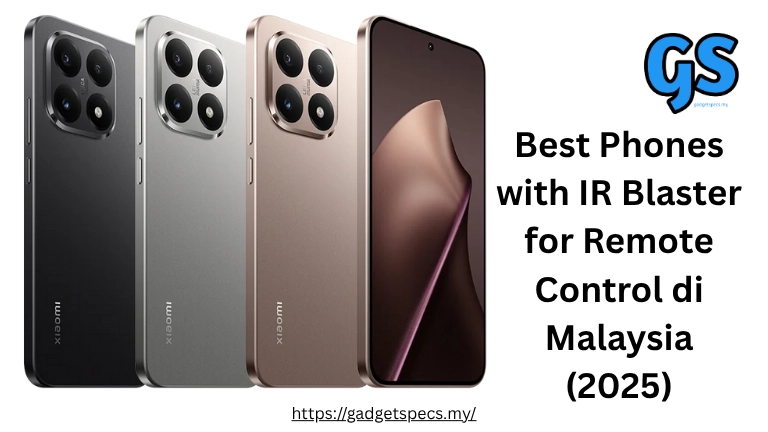
Best Phones with IR Blaster for Remote Control in Malaysia 2026
Imagine losing your TV remote in the sofa cushions for the last time — because your phone IS the remote. Phones with IR (infrared) blasters can control virtually any IR-compatible device in your home: televisions, air conditioners, ceiling fans, set-top boxes (Astro, Unifi TV), projectors, DSLR cameras, and even some car stereos. In Malaysia’s heat where air conditioning is essential, having phone-based AC remote control is genuinely life-changing convenience.
Unfortunately, most flagship phones (iPhone, Samsung Galaxy S-series, Google Pixel) have quietly dropped IR blasters to slim down designs. In 2026, IR blasters are mostly found in mid-range Chinese brand phones. This guide ranks the best phones with IR blasters available in Malaysia, explains how IR works, lists compatible devices, and recommends the best remote control apps.
Quick Answer: Best IR Blaster Phones Malaysia 2026
- Best Overall: Xiaomi 15 – RM3,999 (flagship + IR)
- Best Mid-Range: Poco X8 Pro – RM1,699 (gaming + IR)
- Best Budget: Redmi Note 15 – RM999 (value king + IR)
- Best Value: Poco M7 Pro – RM849 (cheapest with IR)
- Honorable Mention: Xiaomi 14T – RM2,299 (premium mid-range + IR)
What is an IR Blaster? How Does It Work?
An IR blaster (Infrared Blaster) is a small hardware component built into some smartphones that emits infrared light pulses — the same technology used by traditional TV remotes, AC remotes, and most home appliance controllers. Your phone sends coded IR signals that appliances recognize as remote control commands.
How IR Works
- Hardware: A small IR LED (usually at the top of the phone) emits invisible infrared light pulses
- Coding: Each button press sends a specific pattern of pulses — your AC recognizes “temperature up” or “mode change”
- Range: Effective range typically 5-10 meters (more than enough for typical Malaysian room)
- Line of Sight: IR requires roughly line-of-sight to work — walls block the signal
- Universal: A good IR app contains codes for thousands of brands — works with almost any IR device
What Can You Control with IR Blaster in Malaysia?
| Device Category | Examples in Malaysia | Compatible? |
|---|---|---|
| Air Conditioners | Daikin, Midea, Panasonic, York, Acson, Samsung, Mitsubishi, Carrier, Hisense | ✅ Yes — all IR AC units |
| Televisions | Samsung, LG, Sony, Panasonic, Sharp, Hisense, TCL, Philips | ✅ Yes — all IR TVs |
| Set-Top Boxes | Astro, Unifi TV decoder, MyTV, Netflix box | ✅ Yes — Astro & Unifi TV supported |
| Ceiling Fans | KDK, Panasonic, Deka, Elmark (IR-controlled models) | ✅ Yes — IR fan models only |
| Projectors | Epson, BenQ, Optoma, ViewSonic, Xiaomi projectors | ✅ Yes — most projectors |
| DVD/Blu-Ray Players | Sony, Panasonic, LG DVD players | ✅ Yes |
| Sound Bars / AV Receivers | Sony, Samsung, LG soundbars | ✅ Yes — IR models |
| Smart TVs with WiFi remote | Newer Samsung QLED, LG OLED | ⚠️ Some use WiFi not IR — check model |
| Inverter ACs (newer models) | Some 2024+ inverter units with WiFi control only | ⚠️ WiFi-only ACs don’t have IR |
Xiaomi 15 – Best Premium Phone with IR Blaster
12GB/256GB: RM3,799 16GB/512GB: RM4,299
IR Remote Features
Mi Remote app 5,000+ device database All Malaysian AC brands Astro decoder Unifi TV box Custom remote creation Smart schedule
The Xiaomi 15 is the best flagship phone in Malaysia that still includes an IR blaster — most competitors at this price point (iPhone, Samsung S-series) have removed it. Xiaomi’s Mi Remote app is the most comprehensive remote control app available, supporting over 5,000 device profiles including all major AC brands sold in Malaysia (Daikin, Midea, Panasonic, York, Acson) and set-top boxes (Astro HD, Unifi TV). You can create custom remote buttons for devices not in the database.
Xiaomi 14T – Best RM2,000-2,500 IR Blaster Phone
12GB/256GB: RM2,299 12GB/512GB: RM2,599
The Xiaomi 14T hits a sweet spot — Leica cameras, 144Hz AMOLED display, wireless charging, IP68, and IR blaster all in one package at RM2,299. The Dimensity 8300 Ultra processor delivers near-flagship performance for gaming and daily tasks. Mi Remote app supports the same 5,000+ device database as flagship Xiaomi phones. Excellent all-rounder for Malaysian users wanting premium features without flagship pricing, with the added IR convenience.
Poco X8 Pro – Best Gaming Phone with IR Blaster
12GB/256GB: RM1,699 16GB/512GB: RM1,999
The Poco X8 Pro delivers Snapdragon 8 Gen 3 gaming performance at mid-range pricing, combined with a reliable IR blaster. Gamers who want to control their AC temperature and TV volume without leaving their gaming setup will appreciate the combination. The Poco Remote app (same as Mi Remote) covers all Malaysian home appliances. Excellent for gaming setups where controlling room temperature via phone is practical.
For more gaming phones, see gaming phones under RM2,000 and our Poco X8 Pro full specs review.
Redmi Note 15 5G – Best RM1,000 IR Blaster Phone
8GB/128GB: RM999 12GB/256GB: RM1,199
The Redmi Note 15 is the most popular budget phone with IR blaster in Malaysia — offering 108MP camera, 120Hz AMOLED display, 5,500mAh battery, and reliable Mi Remote IR functionality at just RM999. It’s the sweet spot for Malaysian users who want home appliance control without spending more than RM1,000. The Mi Remote app on Redmi Note 15 works identically to flagship Xiaomi phones — same database, same features.
Poco M7 Pro 5G – Cheapest Phone with IR Blaster
6GB/128GB: RM849 8GB/256GB: RM999
The Poco M7 Pro is the most affordable phone with a working IR blaster in Malaysia at RM849 — combining AMOLED display, 120Hz refresh rate, 5G, and IR blaster at a price point that few competitors can match. The IR remote functionality is identical to all other Xiaomi/Poco/Redmi phones — full Mi Remote app with 5,000+ device profiles. Perfect entry-level choice for anyone primarily wanting phone-based remote control.
Complete IR Blaster Phone Comparison – Malaysia 2026
| Phone | Price (RM) | Processor | Display | Battery | IR App |
|---|---|---|---|---|---|
| Xiaomi 15 | RM3,799 | SD 8 Elite | 6.36″ AMOLED 120Hz | 5,240mAh 90W | Mi Remote |
| Xiaomi 14T | RM2,299 | D8300 Ultra | 6.67″ AMOLED 144Hz | 5,000mAh 67W | Mi Remote |
| Poco X8 Pro | RM1,699 | SD 8 Gen 3 | 6.67″ AMOLED 120Hz | 5,500mAh 90W | Poco Remote |
| Redmi Note 15 5G | RM999 | D7300 | 6.67″ AMOLED 120Hz | 5,500mAh 45W | Mi Remote |
| Poco M7 Pro | RM849 | D7025 | 6.67″ AMOLED 120Hz | 5,000mAh 45W | Poco Remote |
| Xiaomi Redmi 14C | RM699 | Helio G91 Ultra | 6.88″ LCD 120Hz | 5,160mAh 18W | Mi Remote |
Popular Phones WITHOUT IR Blaster in Malaysia
Many Malaysians are surprised to learn these popular phones lack IR blaster:
| Phone | IR Blaster | Alternative |
|---|---|---|
| iPhone 16 / 16 Pro (any iPhone) | ❌ Never had IR | Use HomeKit-compatible smart AC |
| Samsung Galaxy S26 / S25 / S24 | ❌ Removed since S10 | SmartThings app + WiFi AC |
| Google Pixel 9 / 8 / 7 | ❌ Never had IR | Google Home + smart devices |
| OnePlus 13 / 12 | ❌ No IR | WiFi smart home integration |
| OPPO Find X8 / Reno series | ❌ Most OPPO phones lack IR | IoT Hub app (limited) |
| Realme GT 7 Pro / Realme series | ❌ No IR blaster | Third-party IR dongle |
| Vivo X200 series | ❌ No IR | WiFi smart home |
Best IR Remote Control Apps in Malaysia
1. Mi Remote (Xiaomi) – Best Overall
- Database: 5,000+ device profiles including all Malaysian brands
- Malaysian Brands: Daikin, Midea, Panasonic, York, Acson, Carrier, Samsung AC, Hisense AC
- Malaysian TV: Samsung, LG, Sony, Panasonic, Hisense, TCL, Sharp
- Malaysian STB: Astro HD/Ultra HD decoders, Unifi TV box, MyTV box
- Learning: Can learn codes from existing remotes (for brands not in database)
- Scheduling: Set AC on/off timers via Mi Remote
- Best for: All Xiaomi/Redmi/Poco phones (pre-installed)
2. Sure Universal Remote (Third-Party) – Best App
- Database: 900,000+ device profiles — widest compatibility
- Works On: Any Android phone with IR blaster
- Features: TV guide integration, Wi-Fi device support, multi-room control
- Price: Free (basic) / RM25/year (premium)
- Best for: Non-Xiaomi Android phones with IR blasters
3. IFTT Remote (AnyMote) – Smart Automation
- Best Feature: IFTTT integration — automate devices based on triggers
- Example: “When I arrive home, turn on AC to 25°C and switch on TV”
- Use Case: Smart home automation using IR phone
- Limitation: Requires phone to be nearby (IR needs line of sight)
4. Huawei Smart Remote (Huawei phones)
- Best for: Huawei phones with IR blaster
- Database: Covers most Malaysian home appliances
- Integration: Works with HarmonyOS home automation
Practical IR Blaster Tips for Malaysian Users
Setting Up Your Air Conditioner Remote
- Open Mi Remote → Add Device → Air Conditioner
- Select brand (e.g., Daikin, Midea, Panasonic, York, Acson)
- Select model or use auto-detect (app sends test signals)
- Test power button — if AC responds, setup complete
- Customize with temperature presets (26°C default for Malaysia comfort)
Astro Decoder Setup
- Mi Remote → Add Device → Set-top Box → Astro
- Select Astro HD or Astro Ultra HD depending on your decoder
- Test channel up/down and OK button
- Works for all Astro B.yond HD and Astro Ultra HD decoders
Pro Tips for Best Performance
- Point at Receiver: Aim top of phone (where IR LED is) at device’s IR receiver
- Range: Works best within 5 meters — stands back 3-4 meters is ideal
- Obstacles: IR doesn’t penetrate walls — must be in same room
- Interference: Bright sunlight can interfere — move away from direct sunlight
- Glass/Mirror: IR can bounce off glass and mirrors — can aim at angle in some setups
- Multiple Devices: Add all home devices to one app — replace all physical remotes
Is IR Blaster Important? Should It Influence Your Purchase?
IR Blaster Is Important If:
- You frequently lose TV/AC remotes (very common in Malaysian homes)
- You have elderly family members who struggle with multiple remotes
- You want to control bedroom AC from bed without getting up
- You travel frequently (hotel TVs and ACs are all IR-controlled)
- You want to consolidate all remotes into one device
- You have a home theatre setup with projector, AV receiver, and TV
IR Blaster Is Less Critical If:
- You have modern smart home devices (WiFi-controlled AC, smart TV with app)
- You already use Google Home or Amazon Alexa for device control
- Your home appliances are all WiFi-enabled (newer inverter ACs)
- You never lose remotes and keep them organized
Alternatives if Your Phone Lacks IR
- USB-C IR Dongle: RM25-50 on Shopee — plug into any USB-C phone for IR capability
- Smart IR Hub: RM80-150 (Broadlink RM4 mini) — WiFi-to-IR bridge, control from anywhere
- Smart AC Controller: RM80-200 — plug-in device makes any AC WiFi-controllable via app
Frequently Asked Questions
Can I control Daikin/Midea AC with IR blaster phone?
Yes. Mi Remote on any Xiaomi/Redmi/Poco phone supports all major Malaysian AC brands: Daikin, Midea, Panasonic, York, Acson, Samsung AC, Mitsubishi, Carrier, Hisense, Toshiba, and more. Setup takes 2 minutes — select brand, select model, test signal. Works identically to physical AC remote including temperature, mode, fan speed, and timer.
Does IR blaster work with Astro decoder?
Yes. Mi Remote has dedicated Astro HD and Astro Ultra HD profiles. You can control channel navigation, volume, recording (for Astro B.yond), and all standard Astro remote functions. Unifi TV decoder and MyTV box also supported.
Why don’t Samsung or iPhone have IR blaster?
Apple never included IR blasters — focusing on WiFi/Bluetooth ecosystem. Samsung removed IR from Galaxy S-series after S10 (around 2019) to slim down phones and prioritize other features. Both brands assume users will use WiFi-connected smart home devices. Xiaomi kept IR blasters as a user-friendly differentiation.
Can IR phone control hotel TV and AC?
Yes — this is one of the most practical uses. Hotels use standard IR remotes for TVs and ACs. Your Xiaomi/Redmi phone can control Samsung, LG, Sony, and Panasonic hotel TVs, plus most hotel AC systems. Especially useful when hotel remote is broken or missing.
Does IR blaster drain battery?
Negligibly. IR blaster consumes very little power — only active for milliseconds when you press remote buttons. Daily IR use adds less than 1% to battery consumption. It has no measurable impact on phone battery life.
Can I use IR blaster from another room?
No — IR requires roughly line-of-sight and doesn’t penetrate walls. However, a Broadlink RM4 Smart IR Hub (RM80-150) plugged into a wall outlet can receive WiFi commands from anywhere and emit IR signals locally. This lets you control living room AC from your bedroom via phone app even without line-of-sight.