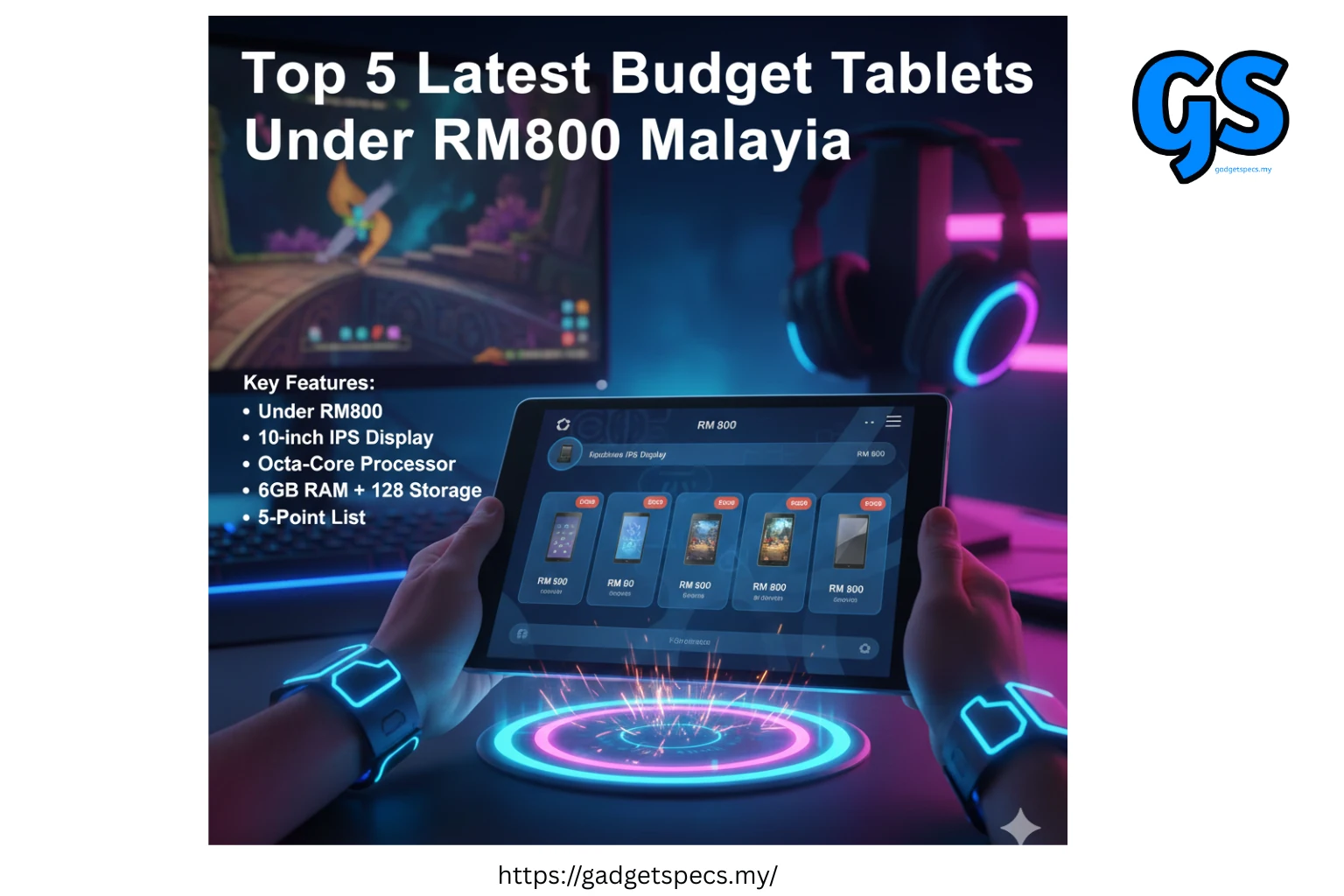
Top 5 Latest Budget Tablets Under RM800 in Malaysia (2026)
Need a reliable tablet without breaking the bank? In 2026, you can get excellent tablets for studying, streaming, gaming, and productivity for under RM800 in Malaysia. These budget tablets offer impressive displays, decent performance, and long battery life—perfect for students, families, and everyday users.
This buying guide is trusted by Malaysian students, parents, and budget-conscious buyers who want maximum value without compromising on essential features. All tablets listed are currently available in Malaysia with local warranty.
This buying guide is part of GadgetSpecs Malaysia’s complete tech research hub. Explore more guides and expert recommendations:
- Best Tablets for Every Need in Malaysia
- Best Budget Phones Under RM500 in Malaysia
- Best Tech for Students in Malaysia
- Latest Tech Deals & Promotions Malaysia
- Tech Reviews & Comparisons
We regularly update our guides with the latest products and prices to help Malaysian buyers make smart decisions.
Why Choose Budget Tablets Under RM800?
Budget tablets have improved dramatically in recent years. Modern tablets under RM800 now offer features that were once exclusive to premium models—large displays, decent processors, expandable storage, and all-day battery life.
These tablets are perfect for Malaysian students attending online classes, families watching Netflix and YouTube, casual readers enjoying e-books, and anyone who needs a portable device for browsing, social media, and light productivity tasks without paying flagship prices.
The tablets in this guide represent the best value in the Malaysian market—carefully selected based on performance, display quality, battery life, build quality, and actual user reviews from local buyers.
Quick Comparison: Top 5 Budget Tablets
| Rank | Tablet Model | Display | Storage | Battery | Price (RM) |
|---|---|---|---|---|---|
| #1 | Xiaomi Redmi Pad SE | 11″ FHD+ 90Hz | 128GB | 8,000 mAh | 699 – 799 |
| #2 | Samsung Galaxy Tab A9+ | 11″ FHD | 64GB / 128GB | 7,040 mAh | 599 – 749 |
| #3 | Lenovo Tab M11 | 11″ FHD | 128GB | 7,040 mAh | 649 – 749 |
| #4 | realme Pad 2 | 11.5″ 2K | 128GB | 8,360 mAh | 699 – 799 |
| #5 | OPPO Pad Air2 | 10.4″ FHD+ | 128GB | 7,100 mAh | 599 – 699 |
Xiaomi Redmi Pad SE — Best Budget Tablet 2026 RM 699 – 799
The Xiaomi Redmi Pad SE takes the top spot as the best budget tablet under RM800 in Malaysia. It offers an impressive combination of large 11-inch 90Hz display, solid performance, massive 8,000 mAh battery, and Xiaomi’s refined software experience—all at an unbeatable price point.
Key Specifications:
- Display: 11-inch FHD+ (1920 x 1200), 90Hz refresh rate, 400 nits brightness
- Processor: Qualcomm Snapdragon 680 (6nm)
- RAM: 4GB / 6GB / 8GB
- Storage: 128GB (expandable up to 1TB via microSD)
- Battery: 8,000 mAh with 18W fast charging
- Cameras: 8MP rear, 5MP front
- OS: MIUI for Pad (Android 13 based)
- Weight: 478g (very light for 11-inch tablet)
- Audio: Quad speakers with Dolby Atmos
Why It’s #1:
- Smooth 90Hz Display: The 90Hz refresh rate makes scrolling, browsing, and gaming noticeably smoother than standard 60Hz tablets—excellent for the price
- Massive Battery Life: 8,000 mAh easily lasts 2-3 days with moderate use—perfect for students who can’t charge daily
- Great for Media: Quad speakers deliver impressive audio quality for Netflix, YouTube, Spotify—sounds far better than competing tablets
- Expandable Storage: Start with 128GB and expand up to 1TB if needed—rare in this price range
- Lightweight Build: At 478g, it’s comfortable to hold for extended reading or video watching sessions
- Reading Mode: Eye comfort mode with blue light filter—great for students reading e-books or PDFs
Real-World Performance in Malaysia:
- Handles Google Meet, Zoom, Microsoft Teams smoothly for online classes
- Runs Mobile Legends, PUBG Mobile, Genshin Impact at medium settings without major lag
- Perfect for Netflix, Disney+, Astro Go streaming in Full HD
- Microsoft Office apps (Word, Excel, PowerPoint) run well for basic productivity
- Battery consistently lasts 10-12 hours of video streaming or 15-18 hours of reading
Best For:
Students needing tablets for online classes, note-taking, and entertainment • Families wanting affordable entertainment tablet • Anyone prioritizing battery life and display quality • Budget-conscious buyers wanting best overall package
Minor Drawbacks:
- Cameras are basic (but acceptable for video calls)
- Charging is only 18W (takes 3-4 hours for full charge)
- MIUI has some bloatware apps (can be uninstalled)
Where to buy: Official Xiaomi stores, Lazada, Shopee, DirectD, Senheng, Courts
Samsung Galaxy Tab A9+ — Best for Samsung Ecosystem RM 599 – 749
The Samsung Galaxy Tab A9+ is perfect for users already invested in the Samsung ecosystem or who prefer Samsung’s One UI software. It offers reliable performance, Samsung’s excellent build quality, and integration with Samsung phones, TVs, and other devices.
Key Specifications:
- Display: 11-inch TFT LCD (1920 x 1200), 60Hz
- Processor: Qualcomm Snapdragon 695 5G (6nm)
- RAM: 4GB / 8GB
- Storage: 64GB / 128GB (expandable up to 1TB via microSD)
- Battery: 7,040 mAh with 15W charging
- Cameras: 8MP rear, 5MP front
- OS: One UI 6 (Android 14 based)
- Weight: 480g
- Audio: Quad speakers tuned by AKG
Why Choose Samsung:
- Samsung Ecosystem: Seamlessly connects with Galaxy phones—continue tasks, share clipboard, auto hotspot
- One UI Excellence: Clean, polished interface with useful features like Multi-Window, Samsung Notes, Samsung Kids
- Better Processor: Snapdragon 695 is more powerful than competitors—better for multitasking and gaming
- Samsung DeX: Connect to monitor/TV for desktop-like experience (great for students doing homework)
- Samsung Kids Mode: Safe environment for children with parental controls—excellent for families
- Longer Software Support: Samsung promises 4 years of security updates
- AKG Speakers: Quad speakers sound excellent—richer bass than competitors
Real-World Performance:
- Slightly better gaming performance than Redmi Pad SE due to stronger processor
- Excellent for Samsung users—messages, photos sync automatically from phone
- Samsung Notes app is superior for digital note-taking with stylus (S Pen sold separately)
- Battery lasts full day of school/work use (8-10 hours active usage)
- Handles split-screen multitasking smoothly—YouTube + WhatsApp simultaneously
Best For:
Samsung phone users wanting ecosystem integration • Families needing Kids Mode • Students who want DeX mode for productivity • Users prioritizing software polish and brand reliability
Considerations:
- 64GB base model may fill up quickly (recommend 128GB version)
- 60Hz display vs competitors’ 90Hz (less noticeable in real use)
- TFT LCD not as vibrant as IPS or AMOLED screens
Where to buy: Samsung stores, Courts, Harvey Norman, Senheng, Lazada, Shopee
Lenovo Tab M11 — Best for Work & Study RM 649 – 749
The Lenovo Tab M11 is designed with productivity in mind. It offers excellent keyboard compatibility, premium build quality, and features tailored for students and working professionals who need a tablet for serious tasks beyond entertainment.
Key Specifications:
- Display: 11-inch IPS LCD (1920 x 1200), 60Hz, 400 nits, TÜV certified eye care
- Processor: MediaTek Helio G88
- RAM: 4GB / 6GB
- Storage: 128GB (expandable up to 1TB via microSD)
- Battery: 7,040 mAh with 20W fast charging
- Cameras: 13MP rear, 8MP front (better than competitors)
- OS: Stock Android 13 (clean experience)
- Weight: 465g (lightest in this list)
- Audio: Quad JBL speakers with Dolby Atmos
Productivity Advantages:
- Stock Android: Clean OS without bloatware—runs smoother than heavily customized interfaces
- Better Cameras: 13MP rear camera actually usable for scanning documents, whiteboards in class
- Keyboard Ready: Official Lenovo keyboard cover available—turns tablet into laptop replacement
- Eye Care Display: TÜV certified to reduce eye strain—important for long study sessions
- Premium Build: Metal back feels more expensive than plastic competitors
- Faster Charging: 20W charging is quickest in this category (2.5-3 hours full charge)
- Lightweight: At 465g, most comfortable for extended holding during reading
Real-World Performance:
- Excellent for Microsoft Office suite—Word documents, Excel spreadsheets, PowerPoint presentations
- Great for PDF reading and annotation—perfect for students with digital textbooks
- Video calls look better with superior 8MP front camera (good lighting quality)
- Gaming performance is decent but slightly behind Snapdragon competitors
- Stock Android feels faster and cleaner than heavily skinned alternatives
Best For:
University students needing productivity tablet • Professionals wanting secondary work device • Users who prioritize clean software • Document scanning and digital note-taking
Considerations:
- MediaTek processor slightly weaker for heavy gaming vs Snapdragon
- No 90Hz display (but most users won’t notice)
- Keyboard sold separately (adds ~RM150-200 to total cost)
Where to buy: Lenovo stores, IT stores (Low Yat, Digital Mall), Lazada, Shopee
realme Pad 2 — Best Screen Quality RM 699 – 799
The realme Pad 2 stands out with its stunning 2K display—the highest resolution in this budget category. If you prioritize screen quality for watching videos, reading, or photo viewing, this tablet delivers visual quality that punches above its price range.
Key Specifications:
- Display: 11.5-inch 2K (2000 x 1200), 120Hz, 450 nits, eye comfort mode
- Processor: MediaTek Helio G99
- RAM: 6GB / 8GB
- Storage: 128GB / 256GB (expandable up to 1TB via microSD)
- Battery: 8,360 mAh with 33W SUPERVOOC fast charging
- Cameras: 8MP rear, 8MP front
- OS: realme UI for Pad (Android 13 based)
- Weight: 518g
- Audio: Quad speakers with Hi-Res audio certification
Display Superiority:
- 2K Resolution: Noticeably sharper text and images—excellent for reading comics, manga, e-books
- 120Hz Smoothness: Highest refresh rate in budget category—ultra-smooth scrolling and animations
- Brightness: 450 nits makes it readable outdoors under Malaysian sun
- Color Accuracy: Better color reproduction than competitors—photos and videos look more vibrant
- Larger Screen: 11.5-inch gives more screen real estate than standard 11-inch tablets
Other Advantages:
- Fastest Charging: 33W charges from 0-100% in just 1.5 hours—game changer for busy users
- Biggest Battery: 8,360 mAh provides longest battery life (up to 15 hours video playback)
- Better Processor: Helio G99 is more powerful than G88—better for gaming
- Hi-Res Audio: Supports lossless audio formats—audiophiles will appreciate quality
- 256GB Option: Highest storage available in budget segment
Real-World Performance:
- Best screen for Netflix, YouTube, Disney+ in this price range—2K + 120Hz is noticeable
- Excellent for reading digital textbooks, PDFs, manga—crisp text rendering
- Gaming is smooth—Mobile Legends, PUBG Mobile, Genshin Impact at high settings
- Photo viewing and editing look great on high-res display
- Fast charging means you can top up during short breaks
Best For:
Media enthusiasts who watch lots of videos • Comic/manga readers • Mobile gamers wanting smooth display • Users who need fast charging • Anyone prioritizing screen quality above all
Considerations:
- Slightly heavier at 518g due to larger battery
- realme UI has some bloatware (removable)
- More expensive than some competitors with similar core specs
Where to buy: realme stores, Lazada Official Store, Shopee Official Store, DirectD
OPPO Pad Air2 — Best Under RM700 RM 599 – 699
The OPPO Pad Air2 is the most affordable option on this list while still delivering solid performance and features. It’s perfect for budget-conscious buyers who want a reliable tablet for basic tasks without paying for premium features they won’t use.
Key Specifications:
- Display: 10.4-inch FHD+ (2000 x 1200), 60Hz, eye protection mode
- Processor: MediaTek Helio G99
- RAM: 4GB / 6GB
- Storage: 128GB (expandable up to 512GB via microSD)
- Battery: 7,100 mAh with 18W fast charging
- Cameras: 8MP rear, 5MP front
- OS: ColorOS for Pad (Android 13 based)
- Weight: 440g (lightest option)
- Audio: Quad speakers with Dolby Atmos
Value Proposition:
- Lowest Price: Often available for RM599 during promotions—best bang for buck
- Compact Size: 10.4-inch is more portable than 11-inch tablets—fits in smaller bags
- Lightest Weight: 440g makes it easiest to hold for long periods
- Good Processor: Helio G99 provides solid performance despite lower price
- Split Screen: ColorOS allows easy multitasking with floating windows
- Kids Space: Built-in parental controls and safe environment for children
Real-World Performance:
- Handles all essential tasks smoothly—browsing, social media, video calls, streaming
- Gaming is acceptable at medium settings—not for Older adults gamers but fine for casual play
- Battery lasts full day of moderate use (7-9 hours screen time)
- Compact size makes it perfect for commuting—easy to use on LRT, bus
- Light weight reduces arm fatigue during long reading sessions
Best For:
Budget-conscious students • Commuters wanting portable entertainment • Parents buying first tablet for kids • Seniors needing simple device for video calls and browsing • Anyone with strict RM700 budget
Limitations:
- Smaller 10.4-inch screen less immersive for movies
- 60Hz display not as smooth as 90Hz/120Hz competitors
- Lower 4GB RAM base model may struggle with heavy multitasking
- Slower charging than realme Pad 2
Where to buy: OPPO stores, Courts, Harvey Norman, Lazada, Shopee
What to Consider When Buying Budget Tablets
Before purchasing a budget tablet in Malaysia, evaluate these key factors based on your specific needs:
1. Primary Use Case
- Entertainment: Prioritize display quality (realme Pad 2), battery life, speakers
- Study/Work: Focus on productivity features (Lenovo Tab M11), keyboard support, eye care
- Gaming: Need better processor (Galaxy Tab A9+, realme Pad 2), 90Hz+ display
- Kids: Look for parental controls, durable build, lower price (OPPO Pad Air2, Galaxy Tab A9+)
2. Display Specifications
- Size: 10.4-11.5 inches are all portable—choose based on preference
- Resolution: FHD (1920×1200) minimum—2K is bonus (realme Pad 2)
- Refresh Rate: 90Hz/120Hz smoother but not essential—60Hz perfectly fine for most
- Brightness: 400+ nits for outdoor use under Malaysian sun
3. Performance Needs
- Light Use: Any tablet on this list will work fine
- Multitasking: Get 6GB+ RAM for split-screen apps
- Gaming: Snapdragon 695 or Helio G99 minimum
- Future-proofing: More RAM/storage ensures longevity
4. Storage Strategy
- 64GB: Only if you use cloud storage exclusively—will fill up fast
- 128GB: Recommended minimum for most users—good balance
- 256GB: If you download many videos, games, or use offline
- MicroSD Expansion: All these tablets support it—cost-effective storage upgrade
5. Battery Considerations
- 7,000-7,500 mAh: Full day of moderate use
- 8,000+ mAh: 2-3 days light use or full day heavy use
- Charging Speed: 33W is luxury—18-20W acceptable
6. Software Ecosystem
- Samsung Users: Galaxy Tab A9+ integrates perfectly
- Stock Android Lovers: Lenovo Tab M11 is cleanest
- Feature-Rich: Xiaomi MIUI has most customization
- Kids/Families: Samsung Kids Mode or OPPO Kids Space
✅ Advantages of Budget Tablets
- Affordable prices suitable for students and families
- Perfect for daily tasks—browsing, streaming, studying
- Long battery life (often better than premium tablets)
- Expandable storage via microSD card
- Large displays great for entertainment and reading
- Lower risk if damaged or lost (vs RM3000+ tablets)
- Latest models have impressive specs for the price
- Good enough performance for 95% of users
⚠️ Limitations to Understand
- Cameras are basic (fine for video calls, not photography)
- Not suitable for professional creative work (video editing, design)
- Gaming performance good but not flagship-level
- Build quality adequate but not premium materials
- Shorter software support vs premium tablets
- Display quality lower than iPad or Galaxy Tab S series
- May struggle with many apps open simultaneously
- Stylus support limited or sold separately
Smart Shopping Tips for Malaysian Buyers
When to Buy:
- Sale Periods: Shopee/Lazada monthly sales (1.1, 2.2, 3.3, etc.), school holiday promotions
- Best Months: January (post-New Year), March (school break), November (11.11), December (12.12)
- Telco Bundles: Sometimes cheaper when bundled with internet plans
- New Model Launches: Previous generation prices drop when newer models announced
Where to Buy in Malaysia:
- Official Brand Stores: Best warranty and after-sales support
- Authorized Retailers: Courts, Harvey Norman, Senheng, DirectD—reliable warranty
- Online (Safe): Lazada/Shopee official brand stores only
- IT Malls: Low Yat Plaza, Digital Mall—can negotiate prices
- Avoid: Suspiciously cheap non-official sellers (grey market, no warranty)
What to Check Before Buying:
- Official Malaysia Warranty: Must have local warranty (not parallel import)
- Return Policy: Understand exchange/return terms (usually 7-14 days)
- In-Box Contents: Confirm what’s included (charger, cable, etc.)
- RAM/Storage: Verify exact variant—some sellers list highest spec but sell lowest
- Dead Pixels: Test display in-store if buying physically
Bundle Opportunities:
- Keyboard cases (RM80-200)—essential for productivity
- Screen protectors (RM20-50)—prevent scratches
- Stylus pens (RM50-150)—useful for note-taking
- Tablet stands (RM30-80)—better viewing angles
- MicroSD cards (RM30-100 for 64-128GB)—cheap storage expansion
Frequently Asked Questions (FAQ)
Q: Which tablet is best for university students in Malaysia?
A: Lenovo Tab M11 or Samsung Galaxy Tab A9+ (128GB version). Both support keyboard attachments for typing assignments, have good battery life for full day of classes, and adequate performance for Microsoft Office and online learning platforms. Lenovo has cleaner software; Samsung has better ecosystem if you use Galaxy phone.
Q: Can these tablets handle online classes (Zoom, Google Meet)?
A: Yes, all tablets on this list handle video conferencing smoothly. For best experience, get tablets with 8MP front cameras (Lenovo Tab M11, realme Pad 2) and ensure stable Wi-Fi connection. Battery life on all models easily supports 4-6 hours of continuous classes.
Q: Which tablet is best for watching Netflix and YouTube?
A: realme Pad 2 has the best display (2K resolution, 120Hz) for media consumption, followed closely by Xiaomi Redmi Pad SE (90Hz, quad speakers). large batteries (8,000+ mAh) for movie marathons and excellent speaker quality with Dolby Atmos.
Q: Are these tablets good for gaming?
A: For casual gaming (Mobile Legends, PUBG Mobile, Candy Crush), all these tablets work fine. For best gaming experience, choose Samsung Galaxy Tab A9+ (Snapdragon 695) or realme Pad 2 (Helio G99 + 120Hz display). Don’t expect flagship-level performance, but medium-high settings are achievable.
Q: Do I need 128GB or is 64GB enough?
A: Strongly recommend 128GB minimum. Android OS + pre-installed apps take ~15-20GB, leaving only 40-45GB usable on 64GB models. If you download Netflix shows, games, or many apps, 64GB fills up fast. 128GB provides comfortable headroom, and you can always expand with microSD card.
Q: Which tablet has the longest battery life?
A: realme Pad 2 (8,360 mAh) and Xiaomi Redmi Pad SE (8,000 mAh) have the largest batteries. Real-world usage: 10-15 hours video streaming, 15-20 hours reading/browsing, or 2-3 days light use. All tablets on this list easily last full day of moderate usage.
Q: Can I use these tablets with a stylus for drawing or note-taking?
A: Samsung Galaxy Tab A9+ works with S Pen (sold separately, ~RM150-200) for best stylus experience with palm rejection. Other tablets support generic capacitive styluses (~RM30-100) for basic note-taking, but won’t have pressure sensitivity or palm rejection features.
Q: Are these tablets suitable for kids?
A: Yes! Samsung Galaxy Tab A9+ has excellent Samsung Kids Mode with parental controls. OPPO Pad Air2 has Kids Space. All tablets support screen time limits and content filtering through Google Family Link. Consider getting a protective case (RM50-100) as kids can be rough with devices.
Q: Will these tablets work with Malaysian 5G networks?
A: Most budget tablets are Wi-Fi only (no cellular connectivity). If you need mobile data, consider Wi-Fi hotspot from your phone or portable Wi-Fi device. Cellular versions exist but cost RM200-300 more and exceed RM800 budget.
Final Recommendations
🏆 Best Overall: Xiaomi Redmi Pad SE (RM699-799)
Perfect balance of features, performance, display quality, and battery life. 90Hz display and quad speakers
make it excellent for entertainment. Best all-around choice for most Malaysian users.
👨🎓 Best for Students: Lenovo Tab M11 (RM649-749)
Clean Android, keyboard compatibility, better cameras for scanning documents, TÜV eye care display.
Ideal for online classes, assignments, and productivity tasks.
🎬 Best for Entertainment: realme Pad 2 (RM699-799)
Highest resolution (2K), smoothest display (120Hz), fastest charging (33W), biggest battery (8,360 mAh).
Perfect for movie marathons and non-stop entertainment..
💰 Best Budget Pick: OPPO Pad Air2 (RM599-699)
Cheapest option without sacrificing essential features. Lightweight, portable, good enough performance.
Perfect first tablet or strict budget choice.
📱 Best for Samsung Users: Samsung Galaxy Tab A9+ (RM599-749)
Seamless ecosystem integration, Samsung DeX, Kids Mode, S Pen support, reliable brand.
Best choice if you already own Samsung phone or TV.
Our Buying Advice:
You can’t go wrong with any tablet on this list. They all offer excellent value for under RM800 and will serve Malaysian students, families, and everyday users well for 3-4+ years.
Choose based on your specific priorities:
- Balanced all-rounder → Xiaomi Redmi Pad SE
- School/work focused → Lenovo Tab M11
- Media enthusiast → realme Pad 2
- Tightest budget → OPPO Pad Air2
- Samsung ecosystem → Galaxy Tab A9+
Pro tip: Wait for Shopee/Lazada sale periods to save RM100-200. Check official brand stores for bundle deals (free keyboard case, screen protector, etc.). Always verify local warranty before purchasing.
Happy tablet shopping! 🎉