Best Phones with Object Eraser Feature in Photos – 2026 Guide
AI-powered object removal has revolutionized mobile photography. That photobomber ruining your vacation shot? Gone in seconds. Construction crane blocking your architectural photo? Erased. Street sign spoiling your scenic vista? Vanished. What once required desktop Photoshop skills and hours of manual work now happens instantly on your smartphone. But not all object erasers are created equal — GSMArena’s comprehensive testing revealed dramatic differences in speed, accuracy, and reliability across brands.
In this complete guide, we rank the best phones with object eraser features available in Malaysia in 2026, based on real-world testing by GSMArena, Digital Trends, and other tech publications. We compare Samsung Galaxy AI (S25 Ultra), Apple Clean Up (iPhone 16 series), Google Magic Eraser (Pixel 10 Pro), and Xiaomi AI Erase 2.0 across multiple scenarios — from simple distractions to complex challenges like removing sunglasses from faces or hands blocking subjects. If you want the cleanest vacation photos without Photoshop, this guide will help you choose the right phone.
Quick Answer: Best Object Eraser in 2026?
According to GSMArena’s extensive testing, Samsung Galaxy AI (available on Galaxy S25 Ultra, S25+, S25) delivers the best object eraser experience. It’s the fastest, has superior object recognition (just draw a loose circle and it knows what to remove 9/10 times), and handles complex tasks like removing sunglasses or beanies from faces. However, it requires internet connection and Samsung account. Apple’s Clean Up (iPhone 16 series) comes second with natural-looking results and offline capability. Google Magic Eraser (Pixel 10 Pro) is easy to use but struggles with object recognition. Xiaomi AI Erase 2.0 produces excellent texture but has poor UI and slow processing.
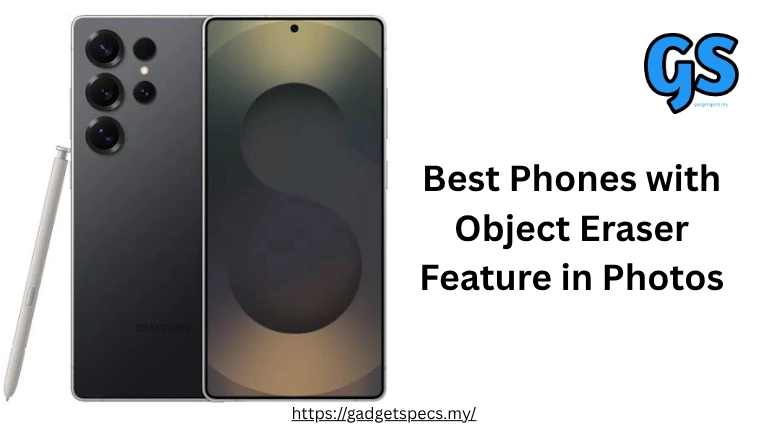
Samsung Galaxy AI – Generative Edit S25 Ultra • S25+ • S25
GSMArena’s definitive verdict: “Samsung’s Galaxy AI object erase is superior to the rest. It’s faster — measurably so, especially compared to the Pixel and Xiaomi. Samsung’s solution is also incredible at recognizing what you want to remove — just draw a loose circle around anything in a photo, and 9 times out of 10 the AI will recognize what you want to erase and mask it perfectly.”
Strengths:
- Best Object Recognition: Draw a vague circle and Samsung AI correctly identifies the object 90% of the time
- Fastest Processing: Generates results noticeably faster than Google Pixel and Xiaomi
- Handles Complex Tasks: Can remove sunglasses from faces, beanies from heads, and generate new facial features
- Easiest UI: Fewest steps to access the eraser — quickest workflow
- Works on Human Faces: Unlike Google and Apple, Samsung can remove glasses, headwear, and regenerate facial features
Weaknesses:
- Internet Required: Won’t work offline — needs active data connection
- Samsung Account Needed: Initial setup requires enrollment
- Resolution Downgrade: Resizes edited images to 12MP (from original higher resolution)
- AI Watermark: Adds visible watermark indicating AI manipulation
- Can Be Unreliable: Failed in 2 of GSMArena’s test images, sometimes leaves blurry patches
- Poor Text Generation: Struggles to recreate text/signage (common issue across all AI erasers)
For more Samsung phones, explore our guide on the best Samsung phones in Malaysia.
Apple Clean Up – Apple Intelligence iPhone 16 Series
Apple’s Clean Up tool arrived late to the AI eraser party (November 2024), but Digital Trends found it worth the wait. In their comparison: “I think the results I got with Clean Up, compared to Samsung’s Object Eraser (which was better than Google’s Magic Eraser back then) were worth the wait. Since my primary device is my iPhone 16 Pro, I’ll be using Clean Up much more when my photos need a bit of tidying up.”
Strengths:
- Works Offline: Only needs internet once to download ML models, then fully offline
- Natural Results: Digital Trends noted Clean Up makes photos “look natural after the retouch”
- No Account Required: Just update to iOS 18.1+ and you’re ready
- Full Resolution: Doesn’t downgrade photo resolution like Samsung
- Impressive Detail Generation: Can generate building details and tiles convincingly
- Privacy-Focused: On-device processing keeps your photos private
Weaknesses:
- Can’t Handle Human Faces: Struggles to remove glasses, hats, or regenerate facial features
- Limited to Recent iPhones: Only iPhone 15 Pro/Pro Max and entire iPhone 16 lineup
- Newer = Less Proven: Still relatively new compared to Google’s Magic Eraser
Google Magic Eraser – Google Photos Pixel 10 Pro • All Android Phones
Google pioneered AI object removal with Magic Eraser, and while it’s no longer the best, it remains the most accessible — available to anyone with Google Photos on any Android phone (and even iPhone). However, GSMArena found it “far from the best.”
Strengths:
- Universal Access: Works on any phone with Google Photos (not Pixel-exclusive anymore)
- Easy to Use: Simple tap-to-remove interface
- Good for Simple Tasks: Works well on small distractions, people in backgrounds
Weaknesses:
- Poor Object Recognition: Won’t mask correctly when you manually draw — requires precise selection
- Inconsistent Results: GSMArena: “Sometimes it does a good job… but other times it’s noticeably worse than the rest”
- Can’t Handle Faces: Like Apple, struggles with human facial features
- Unintuitive UI: Often buried several taps deep in menus
- Blotchy Fills: Digital Trends noted “missing blotches” and “solid gray patches” in results
Xiaomi AI Erase 2.0 Xiaomi 15 • 14 Ultra
Xiaomi’s AI Erase 2.0 produces excellent texture generation and can work with human faces (unlike Google and Apple), but GSMArena noted it’s “much more unreliable, has bad subject detection, and slow generation times. Not to mention the tech expert level you need just to get to Xiaomi’s AI erase tool.”
Strengths:
- Excellent Texture Generation: Creates realistic patterns and materials convincingly
- Can Handle Faces: Unlike Google and Apple, works on human facial features
- Quality Results: When it works, output rivals Samsung
Weaknesses:
- Terrible UI: Buried deep in menus — “tech expert level” needed to find it
- Slow Processing: Noticeably slower than Samsung and Apple
- Poor Object Detection: Struggles to recognize what you want removed
- Unreliable: Inconsistent results across different photos
Direct Comparison: Which Object Eraser is Best?
| Feature | Samsung Galaxy AI | Apple Clean Up | Google Magic Eraser | Xiaomi AI Erase |
|---|---|---|---|---|
| Object Recognition | Excellent (9/10 accuracy) | Good | Poor | Poor |
| Processing Speed | Fastest | Fast | Medium | Slowest |
| Handles Human Faces | Yes | No | No | Yes |
| Offline Capability | No (requires internet) | Yes (after setup) | Varies | Varies |
| UI/Ease of Use | Excellent (fewest steps) | Good | Poor (buried in menus) | Very Poor |
| Result Quality | Very Good (can be blurry) | Excellent (natural) | Inconsistent | Very Good (textures) |
| Account Required | Yes (Samsung) | No | Yes (Google) | Yes (Xiaomi) |
Real-World Performance: What the Tests Showed
Simple Tasks (Removing Distractions):
Winner: Samsung Galaxy AI — Digital Trends: “Samsung Object Eraser at least filled in the background behind the lamppost and signs with some greenery and beige fencing that blends into the building. It’s less obvious that there were people behind the car.”
Google Magic Eraser struggled: “There are missing blotches of the tree behind the original lamppost, leaving behind solid gray patches. Even a chunk of the parking sign is moved down and incomplete.”
Complex Tasks (Human Faces):
Winner: Samsung Galaxy AI — GSMArena: “Galaxy AI is impressive with complex tasks – removing the glasses from a face, or the beanie from someone’s head. It won’t hesitate to generate new facial features.”
Apple Clean Up and Google Magic Eraser: Both cannot handle human facial features. They’re limited to background objects only.
Speed Comparison:
- Samsung: Fastest — noticeably quicker than competitors
- Apple: Fast — comparable to Samsung in most scenarios
- Google: Medium speed
- Xiaomi: Slowest — “slow generation times” per GSMArena
Which Phone Should You Buy for Object Removal?
Choose Samsung (Galaxy S25 Series) If:
- You want the absolute best object recognition and fastest processing
- You need to remove complex objects like glasses, hats, or regenerate facial features
- You always have internet connectivity
- You don’t mind Samsung account setup and 12MP output resolution
- You prioritize speed and ease of use over everything else
Choose Apple (iPhone 16 Series) If:
- You want offline capability and privacy-focused processing
- You value natural-looking results without AI watermarks
- You’re already in the Apple ecosystem
- You don’t need to remove glasses or hats from faces
- You want full-resolution output without downscaling
Choose Google (Pixel 10 Pro) If:
- You want the best Android camera experience overall
- Object removal is a nice-to-have, not a must-have feature
- You prefer Google’s computational photography and AI features
- You’re comfortable with inconsistent object removal results
For more flagship options, explore our guide on the best smartphones of the year in Malaysia and best camera phones for photography lovers.
Frequently Asked Questions
Which phone has the best object eraser in 2026?
Samsung Galaxy S25 Ultra (and S25 series) has the best object eraser according to GSMArena’s testing. It’s the fastest, has superior object recognition, and can handle complex tasks like removing glasses from faces.
Can I use object eraser on any phone?
Yes! Google Magic Eraser is available to anyone with Google Photos on any Android phone (requires Google One subscription for non-Pixel users). However, built-in erasers on Samsung, Apple, and Xiaomi phones work better.
Do object erasers work offline?
Apple Clean Up: Yes (after initial ML download). Samsung Galaxy AI: No (requires internet). Google Magic Eraser: Varies. Xiaomi: Varies.
Can AI remove people from photos perfectly?
Not perfectly, but impressively well for casual use. GSMArena noted: “Most people would be wowed by the AI removal tools in phones today and would not bother to zoom in on the small details.” However, pixel-peepers will notice blurry patches and texture errors.
Can object erasers remove glasses or hats from faces?
Samsung Galaxy AI: Yes, and it will regenerate facial features. Xiaomi AI Erase: Yes. Apple Clean Up and Google Magic Eraser: No, they cannot handle human facial features.
Final Verdict: Best Phone for Object Removal
Best Overall: Samsung Galaxy S25 Ultra
GSMArena’s definitive winner. Fastest processing, best object recognition, handles complex tasks including facial features.
The internet requirement is the only real drawback, but if you always have data, this is the tool to beat.
Best for Privacy: Apple iPhone 16 Pro
Works offline after initial setup, delivers natural-looking results, and keeps your photos on-device. Perfect for users
who value privacy and don’t need to remove glasses or hats from faces.
Most Accessible: Google Pixel 10 Pro
Magic Eraser works on any Android phone via Google Photos, making it the most universally available option. However,
results are inconsistent compared to Samsung and Apple.
GSMArena’s Final Word: “We expect most people are still in the ‘I can’t believe how good this is’ phase, so all’s well that ends well. These tools will only get better from here on out.”